
Create Pivot Table
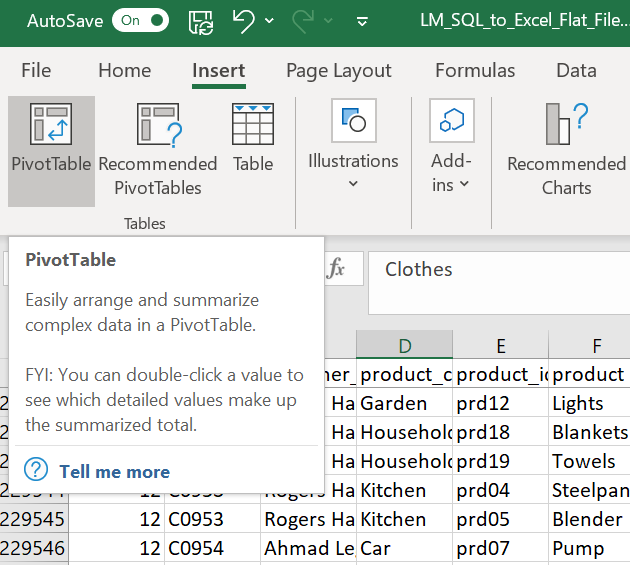
To create the first pivot table, the monthly sales totals of Lead Merchants, go to any cell on the dataset and open pivot table dialogue from the Insert menu.
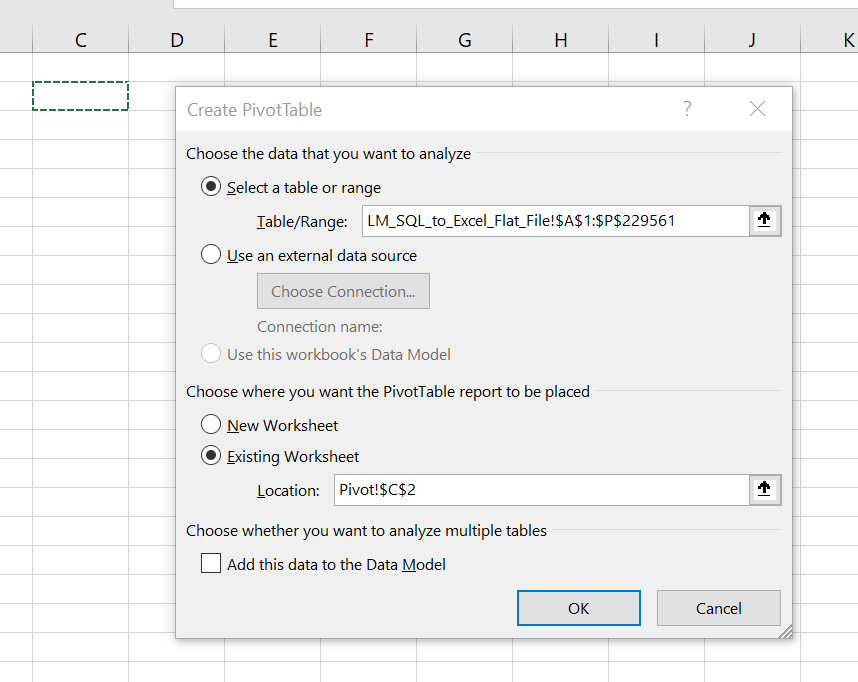
On ‘create PivotTable’ dialogue, select Existing Worksheet click on location field and go to Pivot sheet cell C2, press OK.
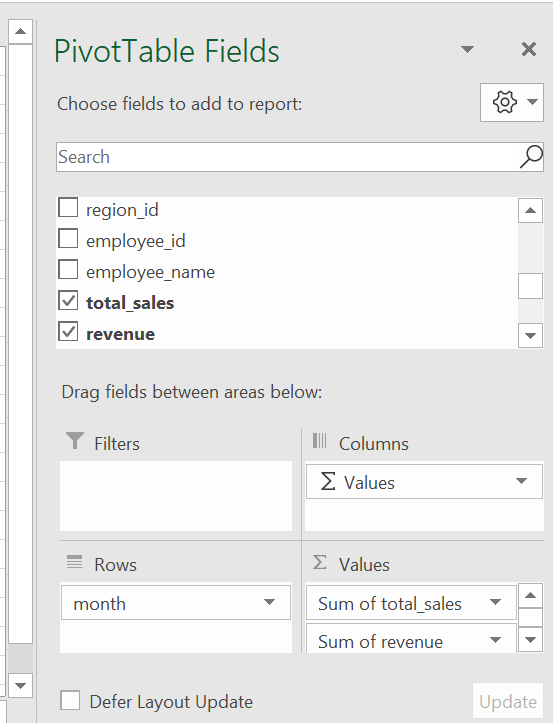
Select month as row, total sales and revenue as columns of the pivot table.
The first pivot table is created.
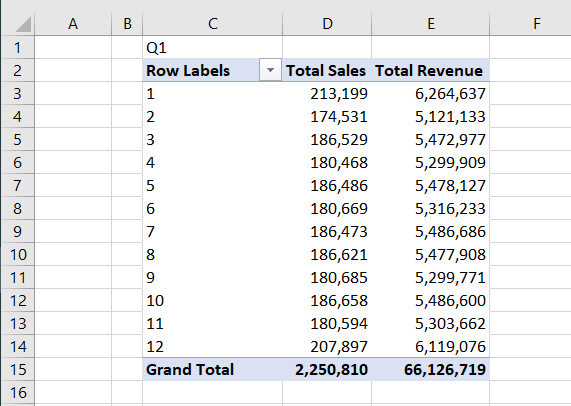
Now you can go back to the Pivot. We will format the table, change some settings and add calculated fields to get it ready for the analysis.